Turn any zone into a rule. Turn any breach into evidence.
Safety events on existing CCTV, restricted areas, maximum occupancy, PPE compliance and loitering. Draw the zone on your camera feed once; QuantumEye watches it for the rest of its operational life.
Illustrative demo data · a person decides · every step logged
Restricted-zone and PPE breaches still cost UK retail real money in incidents, fines and downtime. QuantumEye delivers real-time AI loss prevention on existing CCTV, ICO-registered and ISO 27001 certified, with human review on every consequential action.
Four rule types. Same drawing tool.
Define the zone, pick the rule, set the threshold. Detection windows tuned to retail reality.
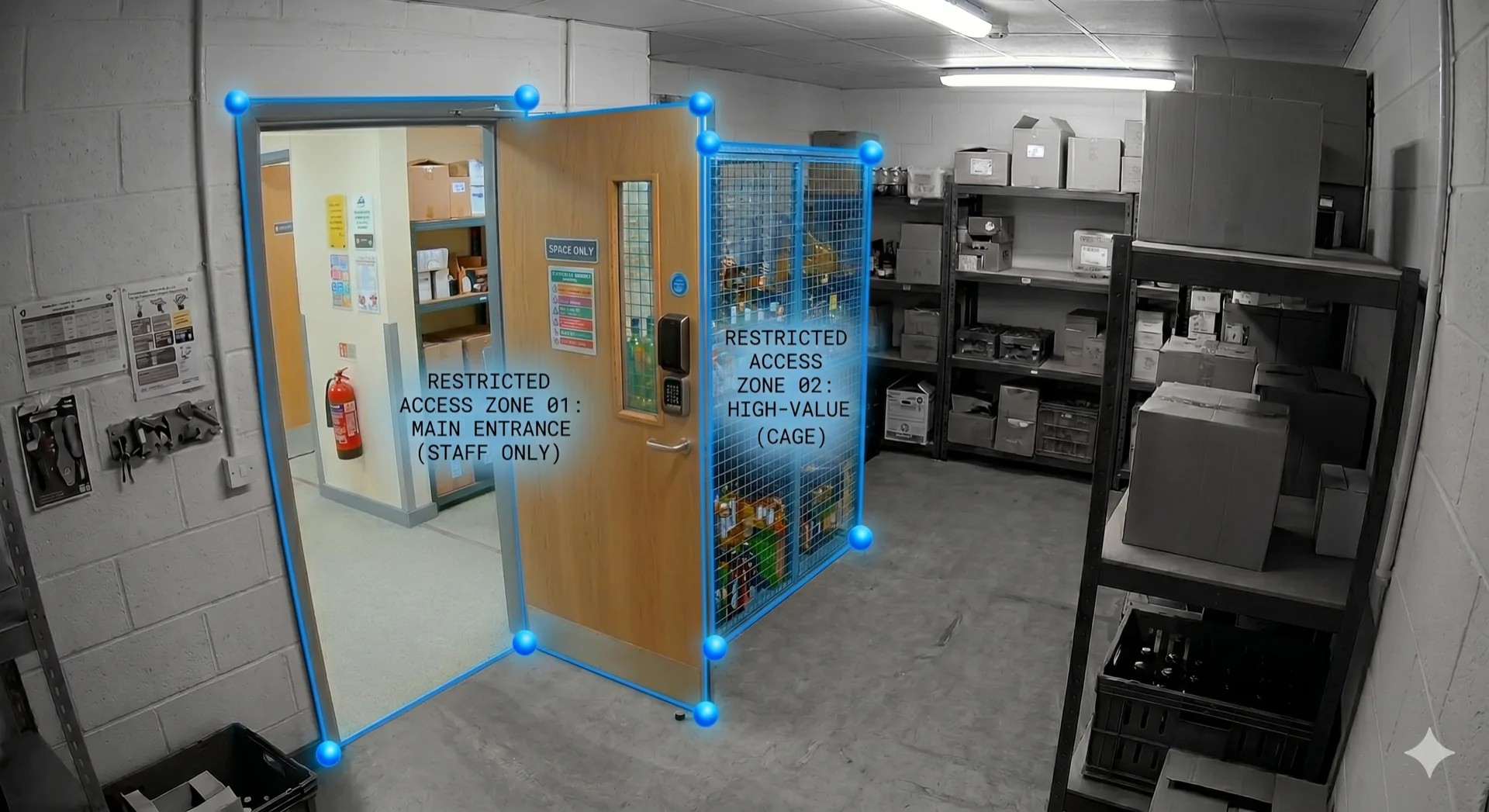
Restricted area access
Staff-only zones flagged the moment an unrecognised face enters. Spirits cages, stock rooms, manager offices, set once, watched continuously.
Maximum occupancy
Zone-level occupancy counts. Customer overspill at the kiosk, change-room limits, fitting-room compliance, alert when the threshold breaks.
PPE compliance
Required PPE in defined zones (high-vis, hairnet, gloves). Useful for back-of-house, food prep, warehouse floors.
Draw the zone. Pick the rule. Done.
The zone editor sits in the manager dashboard. No camera reconfiguration. No edge-node deployment. Per-camera, per-store, per-rule.
Polygon zone editor
Draw the polygon directly on the camera feed. Multiple zones per camera. Each zone gets a name, a rule type and a threshold.
Per-camera inference
Edge node watches the zone in real time. Detection windows tuned per rule type.
Alert routing
Severity-based routing: critical → manager phone, info → email digest. Configurable per rule, per shift, per store.
13:45, a delivery driver wanders into the staff-only stockroom.
Illustrative scenario. An unrecognised face in a restricted zone is flagged and routed to the manager. Sarah redirects politely. The incident is evidenced.
Safety Events
Restricted zones, PPE and occupancy
- 14:12OpenRestricted-zone entryStockroom · CAM-09
- 13:48OpenPPE missing — hi-visLoading bay · CAM-11
- 12:30ResolvedMax occupancy reachedFitting rooms · CAM-06
- 11:54ResolvedLoiteringTills · queue line · CAM-02
- 09:21ResolvedRestricted-zone entryStockroom · CAM-09
Runs better together.
Face Recognition
Whitelist and watchlist matching across your estate. Human-reviewed, GDPR-safe.
PulseWhitelist Groups
Staff, VIPs, suppliers, contractors, granular access, enrolled in seconds in the dashboard.
GuardAfter-Hours Guard
Zero-touch arming. Night-vision detection. Evidence pack, all before the call.
Zone rules generate events. People are still reviewed by people.
The rule flags the breach. A human reviewer decides what, if anything, happens next.
The zone is the rule, not the person
QuantumEye flags presence in the zone. It doesn't decide whether that presence is suspicious, a human reviews and resolves.
Whitelist suppresses noise
Staff and authorised contractors who are whitelisted to that zone don't trigger an alert. Tuning false-positives is part of setup.
Evidence retained, not the suspicion
The clip and timestamps are kept under standard retention. The unverified suspicion isn't retained, only the resolved decision.
Show us your floor plan. We'll show you the zones.
Bring a store layout to the call. We'll walk through which zones are worth ruling, which aren't, and where the false-positive risk lives.